

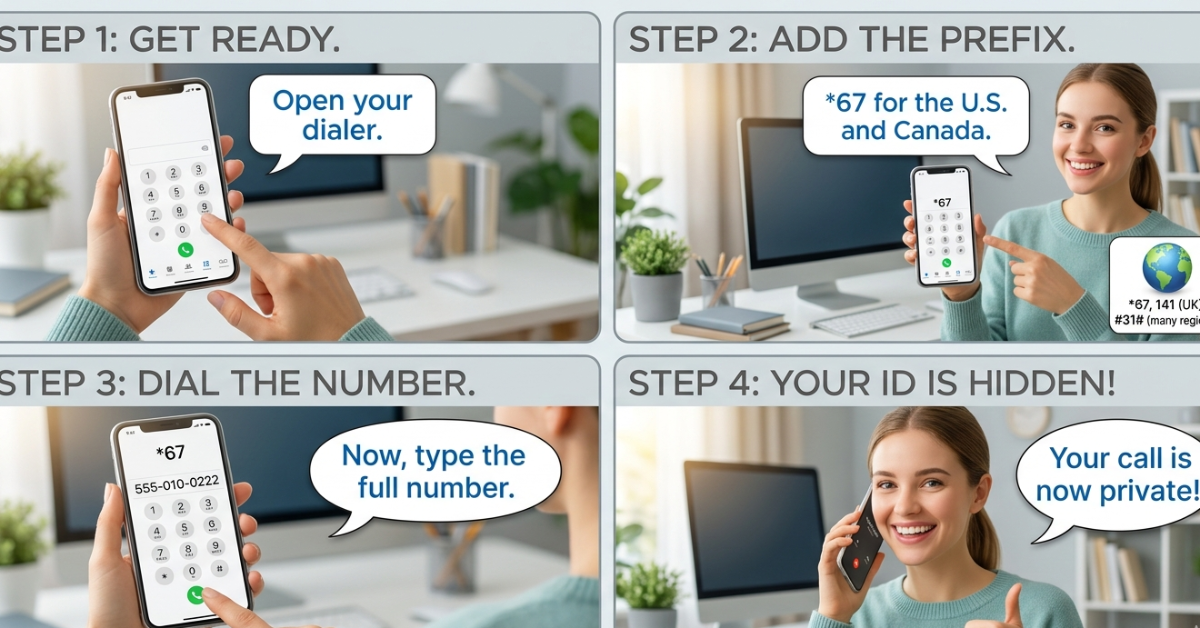

Ever wanted to make a call without showing your number? Whether it’s for privacy, business, or safety, knowing how to call private can be incredibly useful. The good news is—it’s much easier than most people think.
In this guide, you’ll learn how to call private number on different devices, including iPhone and Android, along with tips for international calls and common questions people have.
What Does Calling Private Mean?
When you make a private call, your number appears as “Private,” “Unknown,” or “No Caller ID” on the receiver’s phone. This feature helps protect your identity and keeps your number confidential.
How to Call Private on Any Phone (Quick Method)
The fastest way to hide your number is by using a simple code:
Dial *67 Before the Number
- Enter *67
- Then type the phone number
- Press call
This method works on most networks and is ideal if you want to know how to call private on cell phone without changing settings permanently.
How to Call Private on iPhone
If you use an iPhone, you have built-in options to hide your number.
Method 1: Use Settings
- Go to Settings
- Tap Phone
- Select “Show My Caller ID”
- Turn it OFF
This is the easiest way to learn how to call private on iPhone or how to call private from iPhone for all outgoing calls.
Method 2: Use *67 for One Call
If you don’t want to hide your number all the time, just use the *67 method before dialing.
How to Call Private on Android
Android devices also allow you to hide your number easily.
Steps:
- Open the Phone app
- Tap Settings or Call Settings
- Select “Caller ID”
- Choose “Hide Number”
This is the standard method for how to call private on Android devices.
How to Call Private Number Back
Getting calls from unknown numbers can be frustrating. If you’re wondering how to call private number back, here are your options:
- Use *69 (in some regions) to return the last call
- Contact your service provider for call logs
- Use third-party apps that identify unknown callers
Keep in mind: not all private calls can be traced or returned.
How to Call Private on Apps Like TextNow or WhatsApp
TextNow
If you’re searching for how to call private on TextNow, note that most VoIP apps don’t support hiding your number completely. You may need to adjust app settings or use a different service.
For those asking how to call private on WhatsApp, the app does not allow anonymous calls. Your number is always visible to the recipient.
How to Call Private Internationally
Calling privately across countries can work, but it depends on your carrier.
Tips for International Private Calls:
- Use *67 before the international number
- Confirm with your carrier if caller ID blocking works abroad
- Be aware that some countries may override private settings
This applies if you’re exploring how to call private to Mexico or similar international scenarios.
When Should You Use Private Calling?
Private calling can be helpful in situations like:
- Business calls from personal numbers
- Protecting your identity
- Contacting unknown recipients safely
However, always use it responsibly and avoid misuse.
Common Mistakes to Avoid
- Forgetting to dial *67 before the number
- Assuming all countries support private calls
- Expecting apps like WhatsApp to hide your number
- Overusing private calls (some people may ignore them)
FAQs About How to Call Private
1. Is calling private legal?
Yes, in most countries it’s legal, but it should not be used for harassment or illegal activities.
2. Why do some people not answer private calls?
Many people avoid unknown numbers due to spam or scams.
3. Can I permanently hide my number?
Yes, by changing your phone settings (available on most smartphones).
4. Does *67 work internationally?
It may work, but it depends on your carrier and the country you’re calling.
5. Can private numbers be traced?
In some cases, authorities or service providers can trace them if necessary.
Conclusion
Learning how to call private gives you more control over your privacy and communication. Whether you’re using an iPhone, Android, or dialing internationally, the methods are simple and effective.
Start with the quick *67 trick or adjust your phone settings for long-term use. Just remember—use private calling responsibly, and you’ll have a powerful tool for protecting your personal information.